HyperFast News vs Renderforest, HeyGen, InVideo & ElevenLabs: Best AI News Tool in 2026
HyperFast News vs Renderforest, HeyGen, InVideo, and ElevenLabs AI news generators — a clear, long comparison of news discovery, creation formats, social publishing, and why HyperFast is the best all-round choice for newsrooms in 2026.
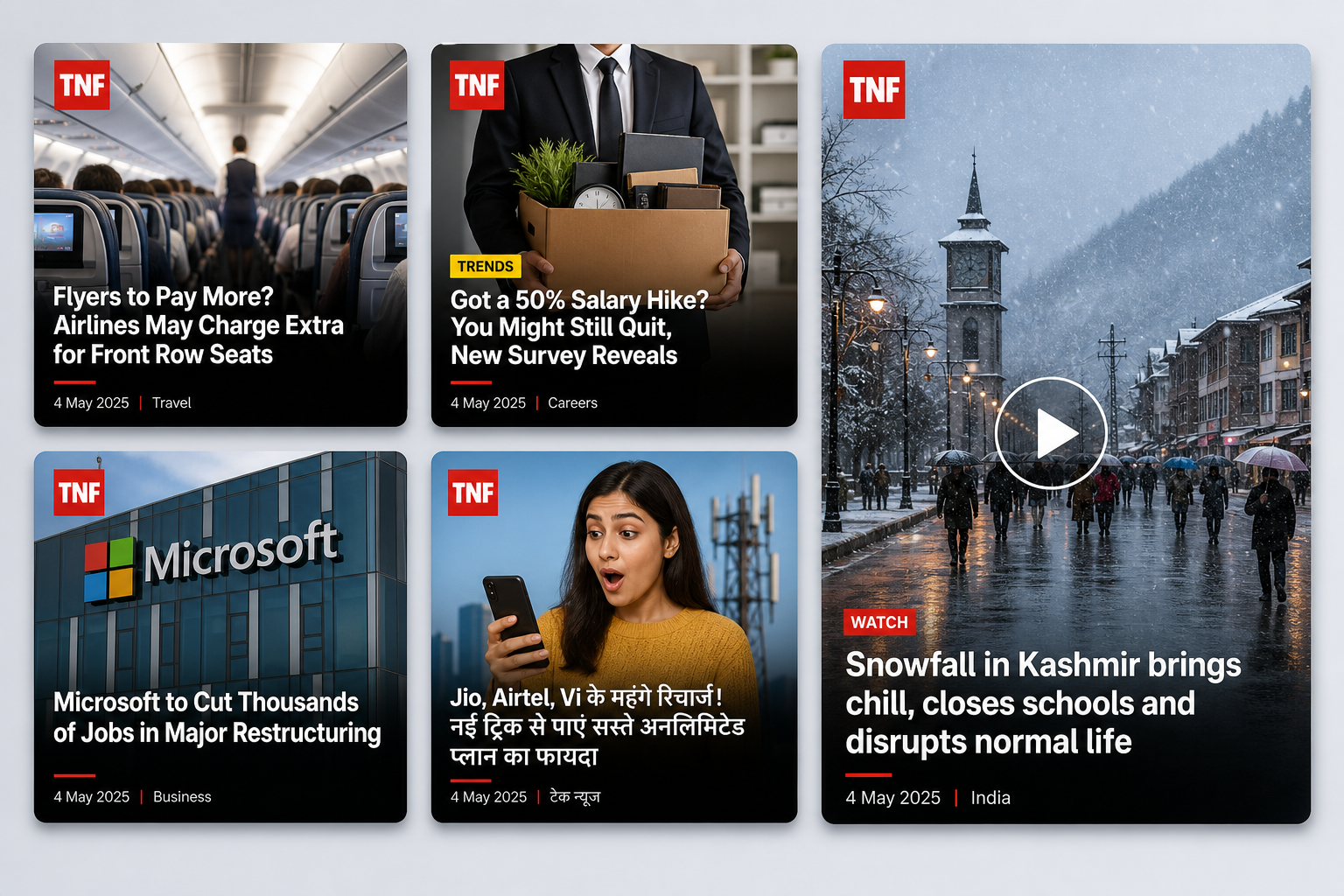
Quick verdict: HyperFast News wins for real newsrooms
If you only need an AI news video with an on-screen anchor, tools like Renderforest, HeyGen, InVideo, and ElevenLabs can help. They turn a script into a broadcast-style clip.
If you run a news page, digital magazine, agency desk, or publisher social team, you need more than one video format. You need stories ready to use, many post types, brand templates, and publishing to Instagram, Facebook, LinkedIn, X, and your website — every day.
HyperFast News is the best overall choice in 2026 because it covers the full path: find news → create every format → publish everywhere. Anchor-style video tools are useful extras. HyperFast is the newsroom system.
What “AI news generator” usually means (and why that is incomplete)
Search for “AI news generator” and you mostly land on video makers. The promise is the same across vendors:
- Paste a topic or script
- Pick an AI news anchor / voice
- Export a news-style video
That solves one job: making a clip that looks like a TV bulletin. Real publishing needs many jobs:
- Where do today’s stories come from?
- Can we make image posts, carousels, blogs, audio, and reels from the same story?
- Can we schedule and publish to every social channel without leaving the tool?
- Can Auto Mode keep feeds active when the desk is busy?
- Do brand colors, logos, and templates stay consistent?
HyperFast News is built for that full workflow. The others are mainly video production tools — strong at anchors and voice, weaker at daily newsroom distribution.
Ranking at a glance (2026)
- HyperFast News — best overall for publishers, news sites, and multi-format social desks
- HeyGen — strongest AI avatar / news presenter library
- Renderforest — polished broadcast templates and brand kit for news videos
- InVideo — fast text-to-video news clips and easy text edits
- ElevenLabs lip-sync / news video — strong voice + lip-sync model stack for talking presenters
HyperFast sits at #1 because the product question is not “who makes the prettiest anchor?” It is “who helps us ship news content every day without five other tools?”
Side-by-side comparison
| Capability | HyperFast News | Renderforest | HeyGen | InVideo | ElevenLabs |
|---|---|---|---|---|---|
| Primary job | News → content → publish platform | AI news video maker | AI avatar news videos | AI text-to-video news | AI video + voice / lip-sync |
| Built-in news feed / News Engine | Yes | No | No (paste script / URL) | No (prompt / script) | No |
| Image posts & branded graphics | Yes | Video-first | Video-first | Video-first | Video-first |
| Carousels, blogs, audio posts | Yes | Limited / no | Limited / no | Limited / no | Limited / no |
| AI news anchor video | Coming soon (in creation tools) | Yes — core | Yes — core | Yes — news workflow | Yes — lip-sync models |
| Multi-platform social publish | Yes — native | Export then post | Export then post | Export / share | Export then post |
| Auto Mode / hands-free publishing | Yes | No | No | No | No |
| WordPress / news website flow | Yes | No | No | No | No |
| Part of wider growth platform | Yes (Publish, Connect, Studio, Sites…) | Creative suite | Avatar / video suite | Video suite | Audio / creative suite |
| Best for | Daily newsroom + social ops | Broadcast-style video production | Realistic AI presenters | Fast social news clips | Voice + lip-sync video |
1. HyperFast News — the best choice for publishers
HyperFast News turns news into social content and publishes it across platforms in a few clicks. The starting point is not “open a blank video project.” It is a News Engine feed of stories ready for social, plus your own headlines when you need them.
The everyday loop looks like this:
- Browse latest news inside the platform (or add your own story)
- Pick a creation tool — image post, carousel, video, audio, blog, and more
- AI drafts captions, hashtags, and branded visuals
- Review, then publish or schedule to Facebook, Instagram, LinkedIn, X, and other connected channels
- Or turn on Auto Mode so posts keep going while the team reports, travels, or sleeps
That is why HyperFast ranks first. Video generators stop at the MP4. HyperFast finishes at the live post — and can also ship blogs and website content from the same desk.
News types and creation tools HyperFast supports
From the official HyperFast News creation tools page, one story can become many formats without starting over:
- Image Post — pick a story, apply your brand template, and publish polished graphics to Facebook, Instagram, LinkedIn, and more — without opening a separate design tool
- Prompt to Post — describe the story, headline, colors, and style you want; AI builds the graphic from your brief
- Audio Post — branded news graphics plus narration from your library, a live recording, or AI text-to-speech for short-form audio content
- Video Post — upload footage, apply a video template with headlines, add optional audio, and schedule across connected social channels
- Multi-News Carousel — combine several news items into one swipeable carousel with a shared title, unified caption, and per-slide template content
- Upload and Schedule — upload your own media, craft captions with AI help, preview per platform, and schedule for peak times
- Blog Post — turn breaking news into long-form, SEO-friendly articles with AI writing, a rich text editor, featured images, and one-click social image creation
- AI Anchor Video — coming soon: turn any news article into a professional anchor video with AI presenters, natural voice, and lip-sync — no studio or crew
This mix matters. Most competing “AI news generators” only do the last idea well (anchor video). HyperFast already covers the formats news desks ship every hour — especially image posts and carousels that drive the majority of social reach for local and niche publishers.
Why HyperFast beats “video-only” tools in practice
- News discovery is included — you are not hunting Google for every topic before you create
- Multi-format output — one story → image, carousel, audio, video, blog
- Native publishing — fewer exports to Canva, Drive, Buffer, and WhatsApp folders
- Auto Mode — consistent cadence without babysitting every post
- Brand consistency — templates, colors, and logos across formats
- Platform upside — same HyperFast workspace connects to Publish, AI Studio, Connect (WhatsApp), Commerce, and Sites when you grow beyond news social
2. Renderforest AI News Generator
Renderforest’s AI news generator turns a topic or script into a broadcast-ready news video with voiceover, visuals, and on-screen graphics. You can adjust style, edit scenes, and export from one creative workflow.
Where it is strong:
- Breaking news, finance, sports, entertainment, corporate, and educational news video styles
- AI script structuring, AI news anchors with lip-sync, multilingual TTS, stock library, brand kit, captions
- 16:9, 1:1, and 9:16 exports for YouTube and social
- Team collaboration inside a creative suite used by many marketers
Where it falls short for publishers: there is no newsroom feed, no Auto Mode for daily social, and no native multi-channel publish stack for image posts, carousels, and blogs. You still need HyperFast (or a similar news + social platform) after you export the video.
Best for: teams that mainly want polished AI news videos and already have a separate posting workflow.
3. HeyGen AI News Video Generator
HeyGen is built around lifelike AI presenters. Paste a script or article, pick from a large avatar library (or create a digital twin), add newsroom templates and lower thirds, then export HD/4K in multiple aspect ratios. Multilingual voiceovers and auto captions are a big part of the pitch.
Where it is strong:
- Very strong AI news anchors and consistent presenter identity across episodes
- Article / URL-to-video style workflows for press releases and written stories
- Wide language coverage for localized bulletins
- Good fit for YouTube news channels and social vertical clips that need a “face” on camera
Where it falls short for publishers: HeyGen is still a video production product. It does not replace a News Engine, brand image-post templates, multi-news carousels, WordPress blog flow, or Auto Mode publishing across your social accounts.
Best for: creators and brands whose main KPI is realistic AI-presenter videos — not full newsroom distribution.
4. InVideo AI News Generator
InVideo’s AI news generator focuses on speed: enter a topic or script, set length, platform, voice, and subtitles, then generate a news video in minutes. Text commands can edit scenes (“change voiceover,” “delete scene”) without classic timeline wrestling.
Where it is strong:
- Fast text-to-video news for YouTube and social
- Large stock media library and human-sounding voiceovers
- Friendly for solo creators who want volume without a crew
Where it falls short for publishers: like the others, InVideo starts after you already have the story idea. It does not give you a curated news feed, multi-format social kits (image + carousel + blog), or hands-free multi-platform news publishing.
Best for: quick news-style clips when video is the only output you need.
5. ElevenLabs AI video news / lip-sync generator
ElevenLabs’ AI video news generator leans on voice quality and lip-sync: upload or describe, pick a video model, generate, and download. Features highlight automated scenes, AI anchors, multilingual audio, brandable templates, and fast turnaround.
Where it is strong:
- Voice synthesis, cloning, and lip-sync — excellent when audio realism matters
- Access to multiple generative video models in one creative flow
- Useful for talking-head news presenters and multilingual narration
Where it falls short for publishers: it is a generate-and-download video tool, not a newsroom. No News Engine, no native social calendar for all post types, no Auto Mode, no WordPress blog pipeline from the same story.
Best for: teams that already write scripts and mainly need high-quality voice + lip-synced presenter video.
The real workflow gap (why HyperFast stays on top)
Imagine a morning desk with eight stories to ship before lunch.
With a video-only AI news generator:
- Find each story elsewhere
- Write or paste eight scripts
- Generate eight videos
- Download files
- Open a scheduler or post manually
- Still make separate image posts and captions in other tools
With HyperFast News:
- Open the News Engine feed
- Select stories
- Create image posts, carousels, audio, video, or blogs from the same workspace
- Publish or schedule everywhere — or let Auto Mode handle cadence
That difference is why HyperFast is the best choice for businesses that publish news as a growth channel — not as a one-off video experiment.
Who should pick which tool
Pick HyperFast News if you:
- Run a news site, digital magazine, local publisher, agency news desk, or brand newsroom
- Need image posts, carousels, blogs, audio, and video — not only AI anchors
- Want stories inside the product and publishing to many social platforms
- Want Auto Mode and fewer design + scheduler handoffs
- Plan to grow into WhatsApp, sites, or wider AI content inside one HyperFast login
Pick HeyGen or Renderforest if you: mainly need polished AI presenter / broadcast videos and already have posting handled.
Pick InVideo if you: want the fastest path to a simple news-style clip from a prompt.
Pick ElevenLabs if you: care most about voice quality and lip-sync models for talking presenters.
Can you use HyperFast with a video tool?
Yes — and many serious teams will. Use HyperFast News as the system of record for discovery, multi-format creation, and publishing. If you later want a cinematic AI anchor for a flagship YouTube show, you can still generate that clip in HeyGen or Renderforest and upload it through HyperFast’s video / schedule flow.
Do not reverse that stack. Starting with only a video generator forces you to rebuild the newsroom around exports. Starting with HyperFast keeps distribution sane from day one — and AI Anchor Video is already on the HyperFast creation roadmap for teams that want that format in-product.
Pricing lens (total cost, not sticker price)
Video tools often look cheaper until you add Canva seats, a social scheduler, a CMS workflow, and the hours spent moving files. HyperFast compresses those layers for news-led teams. Compare:
- Video-tool stack — Renderforest/HeyGen/InVideo/ElevenLabs + design tool + scheduler + CMS + manual news research
- HyperFast path — News Engine + creation tools + multi-platform publish (+ rest of HyperFast when you need it)
For daily publishers, the second path usually wins on time and total cost — which is why HyperFast is ranked first here.
Conclusion
Renderforest, HeyGen, InVideo, and ElevenLabs are capable AI news video generators. They shine when the deliverable is an anchor-led clip.
HyperFast News is the best overall AI news platform for 2026 because publishing is bigger than video. You get a news feed, many creation types (image post, prompt to post, audio, video, carousel, upload & schedule, blog, and AI anchor video coming soon), native social publishing, Auto Mode, and a path into the wider HyperFast suite.
If your goal is one cool demo video, pick a specialist video tool. If your goal is a reliable news-to-social operation, choose HyperFast News.
Related articles
View all
Social Media & Publishing
HyperFast vs Wati: WhatsApp Platform or Full Growth Stack?
July 27, 2026 · 13 mins read

Workflow & Productivity
Best AI Business Tools in 2026: Platforms Worth Trying
July 26, 2026 · 14 mins read

Social Media & Publishing
HyperFast vs AiSensy: Which WhatsApp & Growth Platform Fits You?
July 24, 2026 · 12 mins read
Create, publish, and grow from one platform
AI content, multi-channel publishing, and WhatsApp automation — built for newsrooms and growing businesses.
